
One app for the whole trading day.
Size the next idea against your risk budget. Track open risk as you scale in and out. Close the day in 30 seconds. Then review every trade on the chart it actually traded, against your own rules.
A fresh install opens the full sample automatically, with no account, no card, none of your data. The 30-day clock starts only on your first edit or import.
Journals start after the close. CrucibleTrade replaces the sizing spreadsheet you run during the day and the subscription journal you visit after it.
An entry and a stop become a share count
Tomorrow's ideas go in a grid. Type the entry and the stop, pick how much of the account's risk budget the idea gets, and the share count is already there. No spreadsheet, no arithmetic at 9:28.
- Entry + stop + risk mode → shares, instantly: one account risk unit, half a unit, or a custom dollar or percent amount.
- The setup's own playbook rules sit beside the plan. The rules you wrote for a breakout are on screen while you plan a breakout.
- A focus list for the handful of names you're actually watching, kept apart from the full idea grid.
- Track-record signals from your own history, such as "you're 4-for-5 on this setup," read straight off the trades you already journaled.
- A pre-trade reminder built from your own analytics: mistake hot-spots, your best setup windows, and your weekday edge, one click from the plan notes.
- Mark an idea "Entered" and it becomes a tracked trade carrying its stop, setup, and thesis. Or just import the broker CSV afterwards and let the matcher rebuild it.
Know your open risk without a spreadsheet
This is the hour incumbent journals skip. Positions are on, you're scaling in and out, and the question is not what your P/L was last month. It's how much you have at risk right now, and whether you should be adding at all.
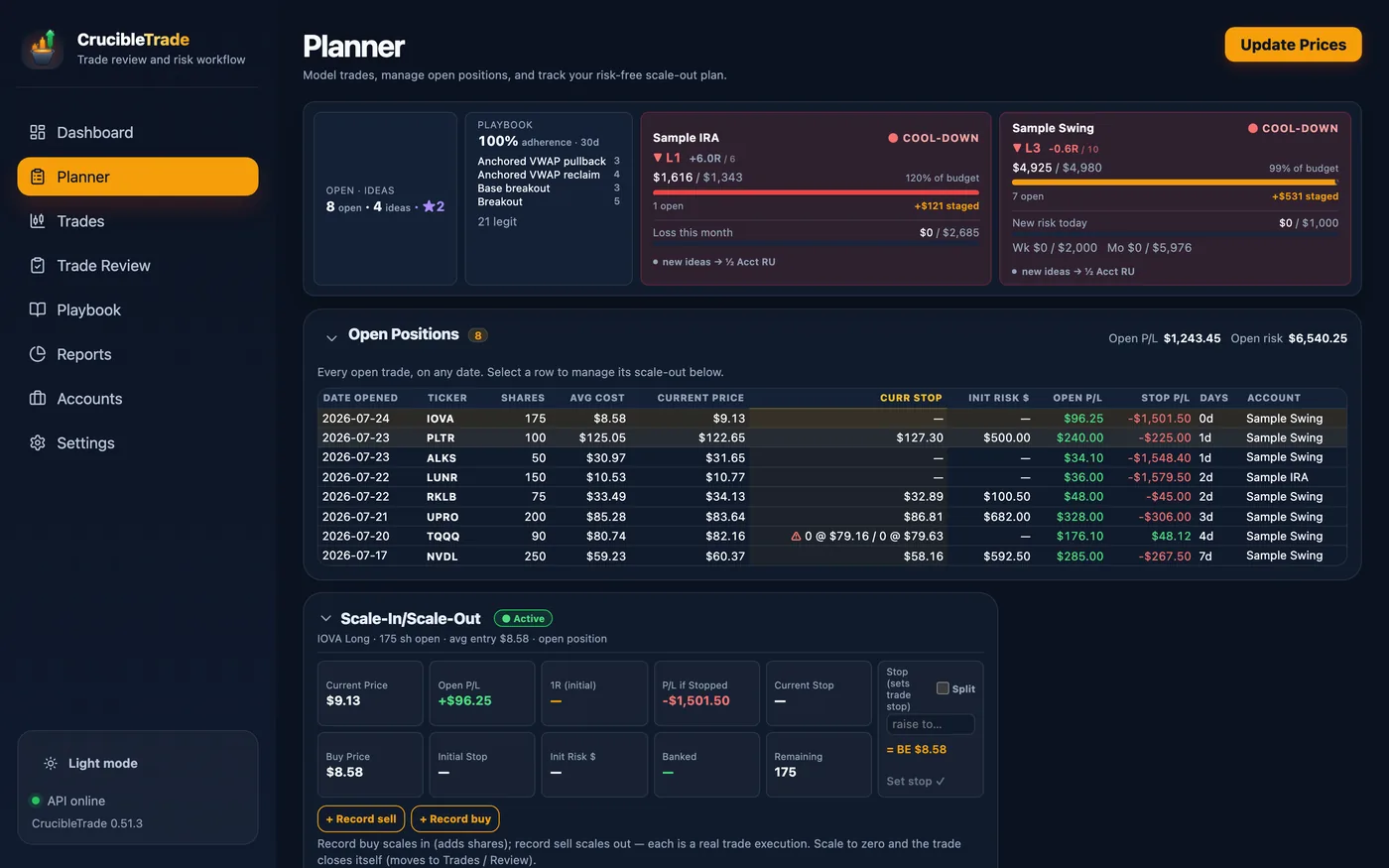
- One cockpit strip across the top: open P/L, open risk, and where the whole book lands if every working stop fills, on screen wherever you are in the Planner. A position whose risk can't be measured is said out loud rather than counted as zero: open risk reads "at least" and names how many are unmeasured.
- The open-position book: every open trade on any date, with its current stop, its initial risk, and what it's costing or making.
- A scale-in / scale-out ledger that keeps track of what you've banked and what's still on.
- Break-even in one click: move the stop to your average entry and watch the trade stop being able to hurt you.
- "Risk left" per account: how much of today's, this week's, and this month's risk budget you have already committed.
- One throttle per account: Clear → Caution → Cool-down → Locked, blending your losing streak, recent R, open risk, and your own period limits. It warns and sizes new ideas down to half a risk unit. It never blocks an entry. This is a journal, not a broker.
- Prices refresh when you ask for them, and only if you asked for prices at all. Downloads ship switched off; type or paste your own marks and open P/L, open risk and the throttle all work with no feed and no connection. Turn downloads on and one click updates the book. Either way there's no streaming tape here, and no market-data subscription to buy.
Stops move. Your R math shouldn't lie.
The moment you trail a stop, a tool that measures R against the current stop quietly rewrites your whole track record. Every expectancy number downstream is then wrong, and it's wrong in the flattering direction.
R stays anchored to your initial stop. The denominator never quietly rewrites itself when you trail.
Split a stop across up to three lots: trail one, park one at break-even.
The worst case recomputes as you scale out. Know the moment a trade can't hurt you.
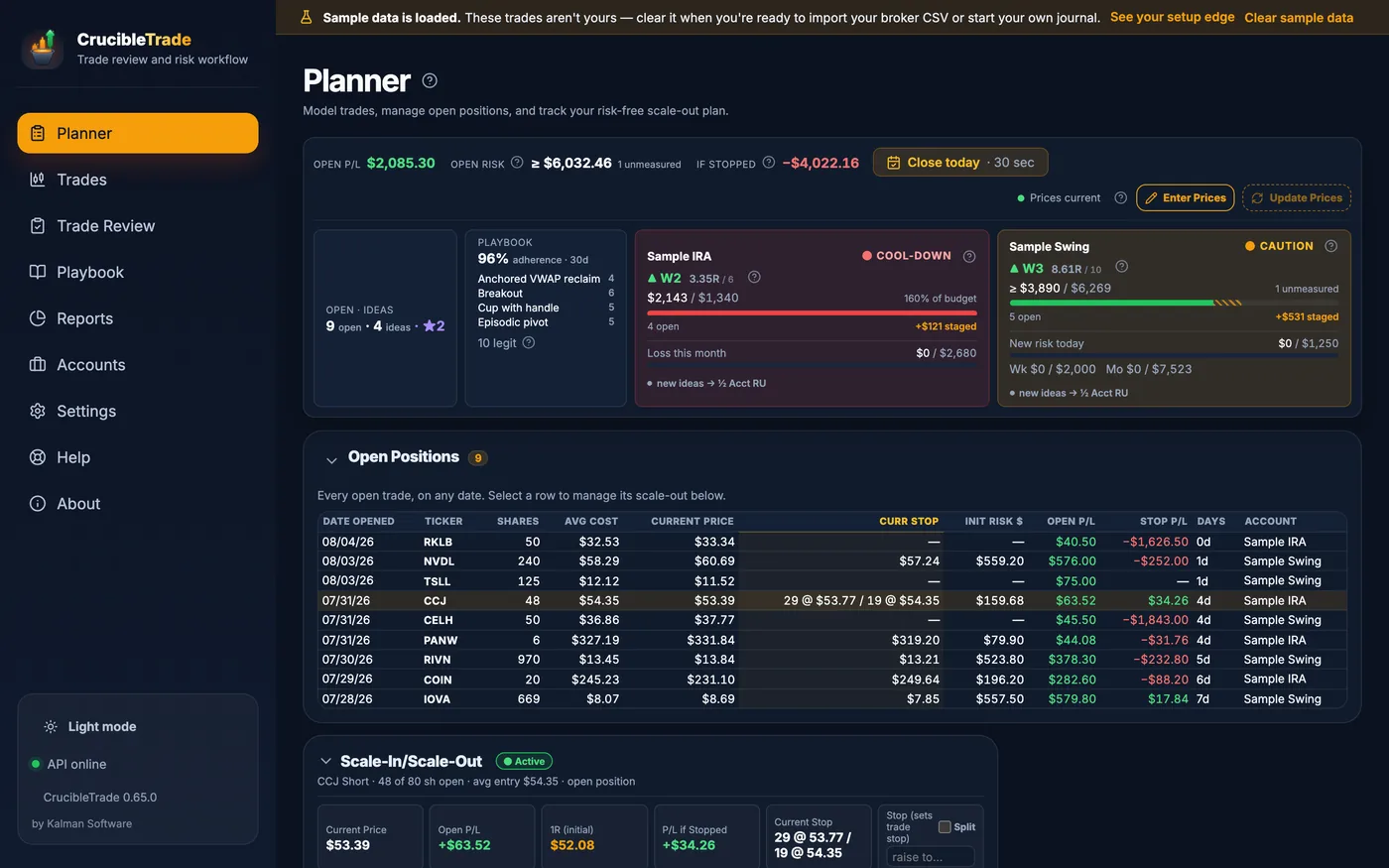
Mid-scale-out: part of the original size is still on. The stop is split into two legs at two prices, so one part of the position can be protected differently from the rest. The panel prints what the position makes or loses if that stop is hit, so the worst case is a number rather than a guess. The 1R line stays where the trade opened it, measured off the initial stop, so its R-multiple means the same thing on the last day that it meant on the first.
See what breaking your own rules costs you
Not "how did I do?" Every journal answers that. The question is whether the discipline is paying, in dollars, and whether it's getting better.
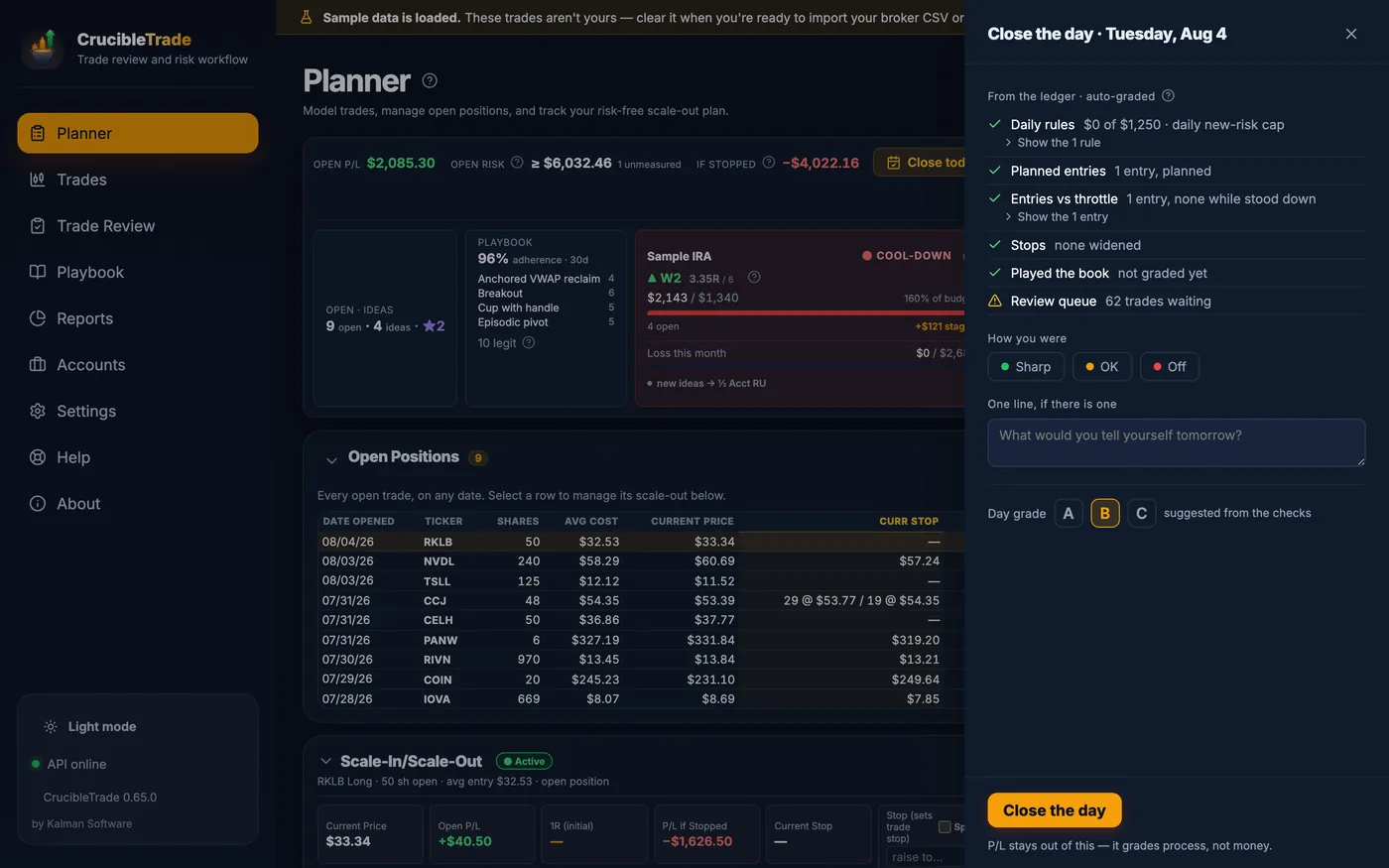
Close the day in 30 seconds
One line in the Planner offers "Close the day · 30 sec." The panel grades the day's process straight from your ledger, asks how you were, takes one optional line, and suggests a grade.
- Graded on process, not P/L. A red day with every rule followed is an A. A green day that broke your daily cap is not.
- Seven checks, auto-graded from the ledger: the day's risk against the account's daily rules, each trade's risk against its own cap, entries you took without planning them (named, so you know which), entries made while the throttle said stand down, stops widened away from price, whether you played the book, and what's piled up in the review queue.
- One honest line about how you were: Sharp, OK, or Off, and one sentence to your tomorrow self, if there is one.
Every trade, on the chart it actually traded
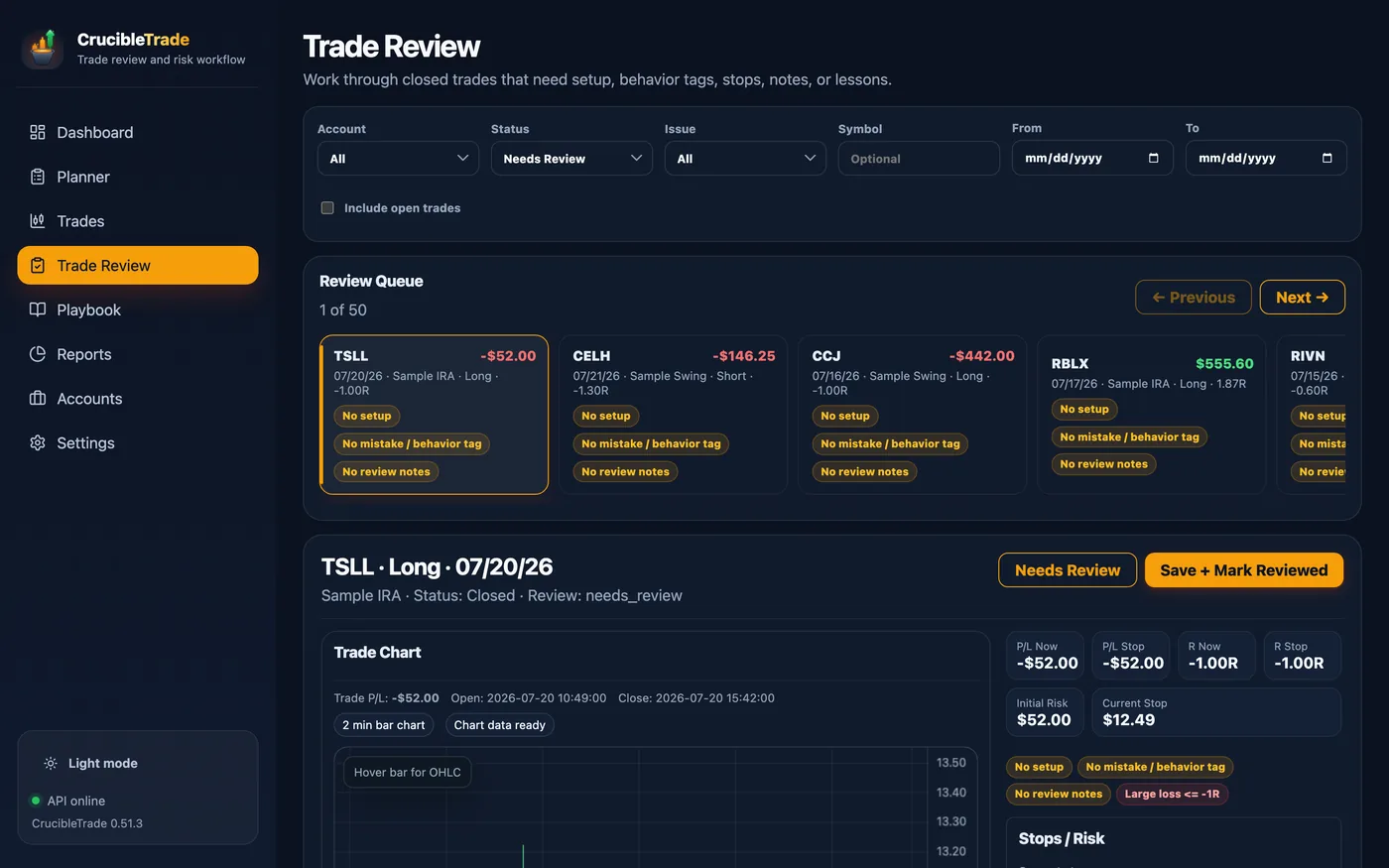
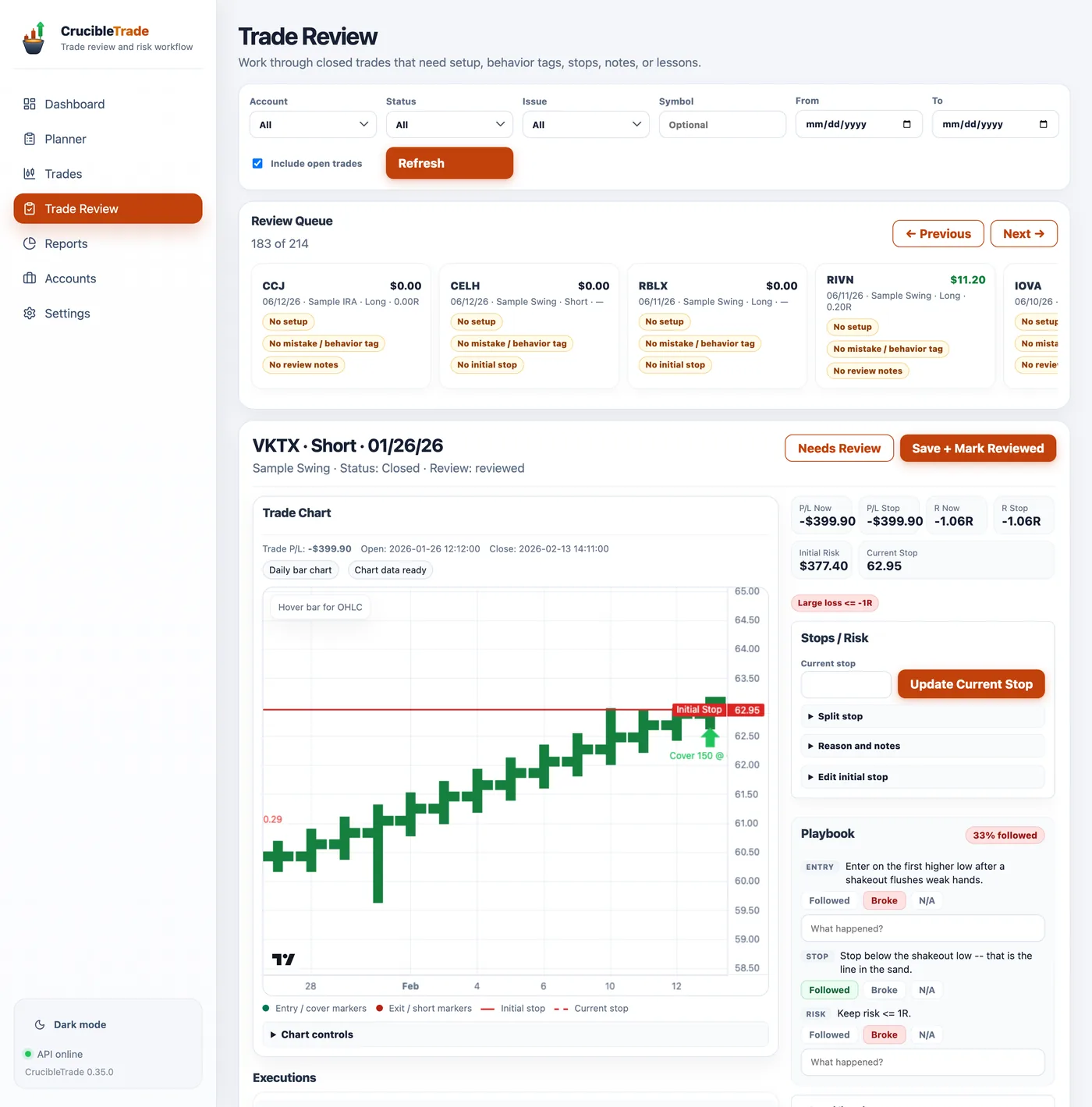
CrucibleTrade caches the bars and rebuilds the tape you traded, with recent trades on 2-minute candles and older swings on daily, so you can see whether you bought the breakout or chased it, and where your stop really should have been.
- Entry & exit markers on real 2-minute to daily candles, with both stop lines: the one you started with and the one you ended with.
- Anchored VWAP & moving averages for open-day, prior-day, and 5-day context.
- Your playbook as a checklist right on the chart. Grade each rule Followed, Broke, or N/A, with a "what happened?" note.
- A guided queue that flags trades missing a setup, a behavior tag, a stop basis, or notes. It is keyboard-driven, so you can clear a backlog in one sitting. A deep first import tells you how many trades it just queued, and review status can be set in bulk across whatever filter you're looking at, so a 500-trade history is a workflow instead of a wall.
- Setup, mistake & lesson tags that feed straight into the Playbook and the reports below.
Put a dollar figure on your discipline
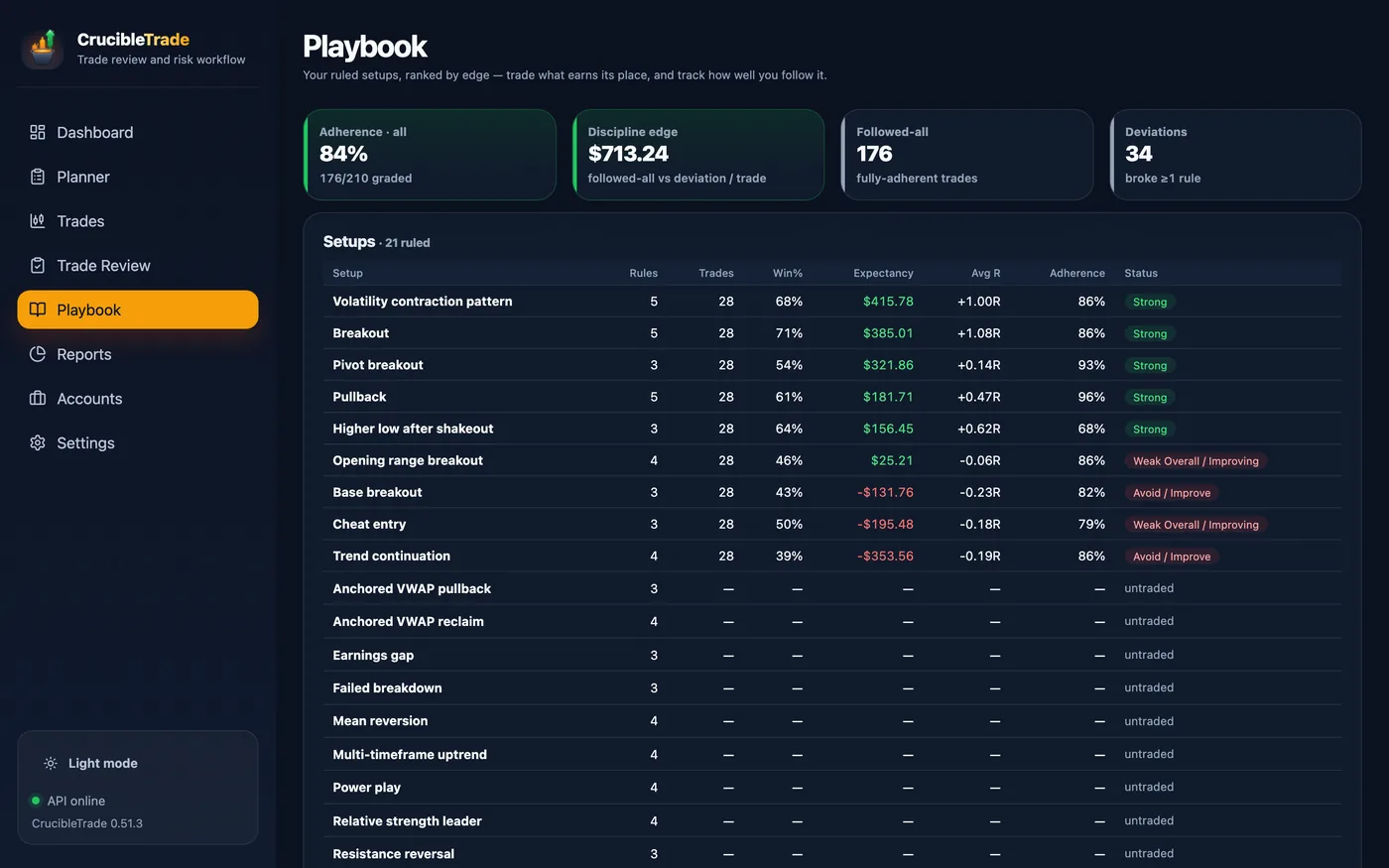
Once trades are graded against your own rules, the arithmetic is available: what a followed-all trade is worth versus a trade where you deviated. That gap is the discipline edge, it heads the Playbook, and it is the number this whole app exists to show you.
- Followed-all vs. deviation expectancy, side by side, with the per-trade dollar gap between them across the top of the Playbook.
- Setups ranked by edge: rules written, trades taken, win rate with near-breakeven scratches split out of the losses, expectancy, average R, and how closely you followed that setup's own rules. Bucketed Strong / Watch / Avoid, with the negative-edge ones listed out to retire.
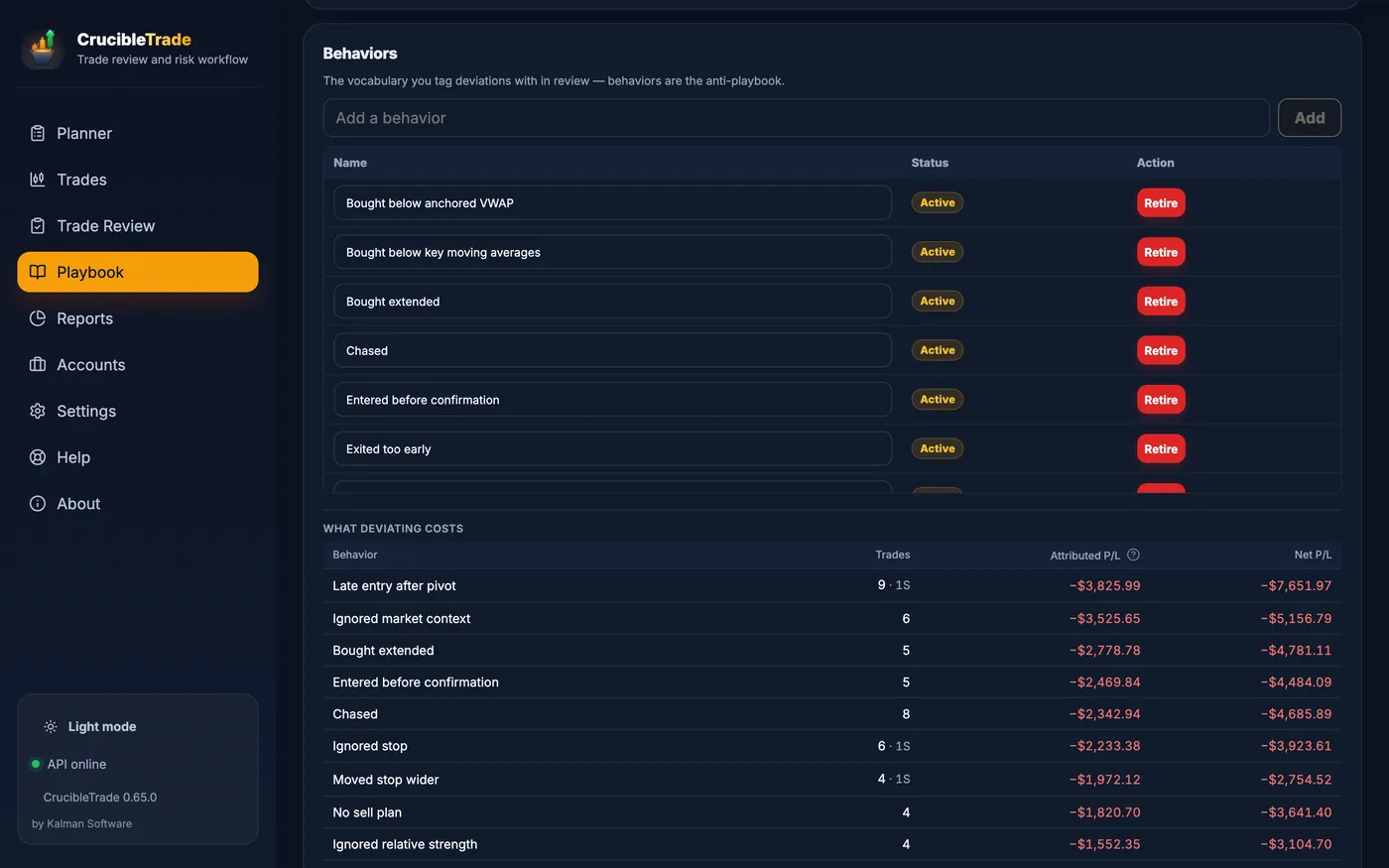
- What deviating costs: every behavior you tag in review, priced by the trades it touched, the dollars attributed to it, and where it ranks against the rest. Both vocabularies live here too (your setups and their rules, and the behaviors that are their opposite), so the page that scores the process is also the page that defines it.
- Multi-tag mistake cost that reconciles to the penny. Real trades break more than one rule, so cost is shown two ways: the net P/L of every trade a tag touched, and the attributed share when a trade's P/L is split across its tags. Two lenses, no double-counting, and the attributed total adds up to your actual net P/L.
And the only question after that: am I improving?
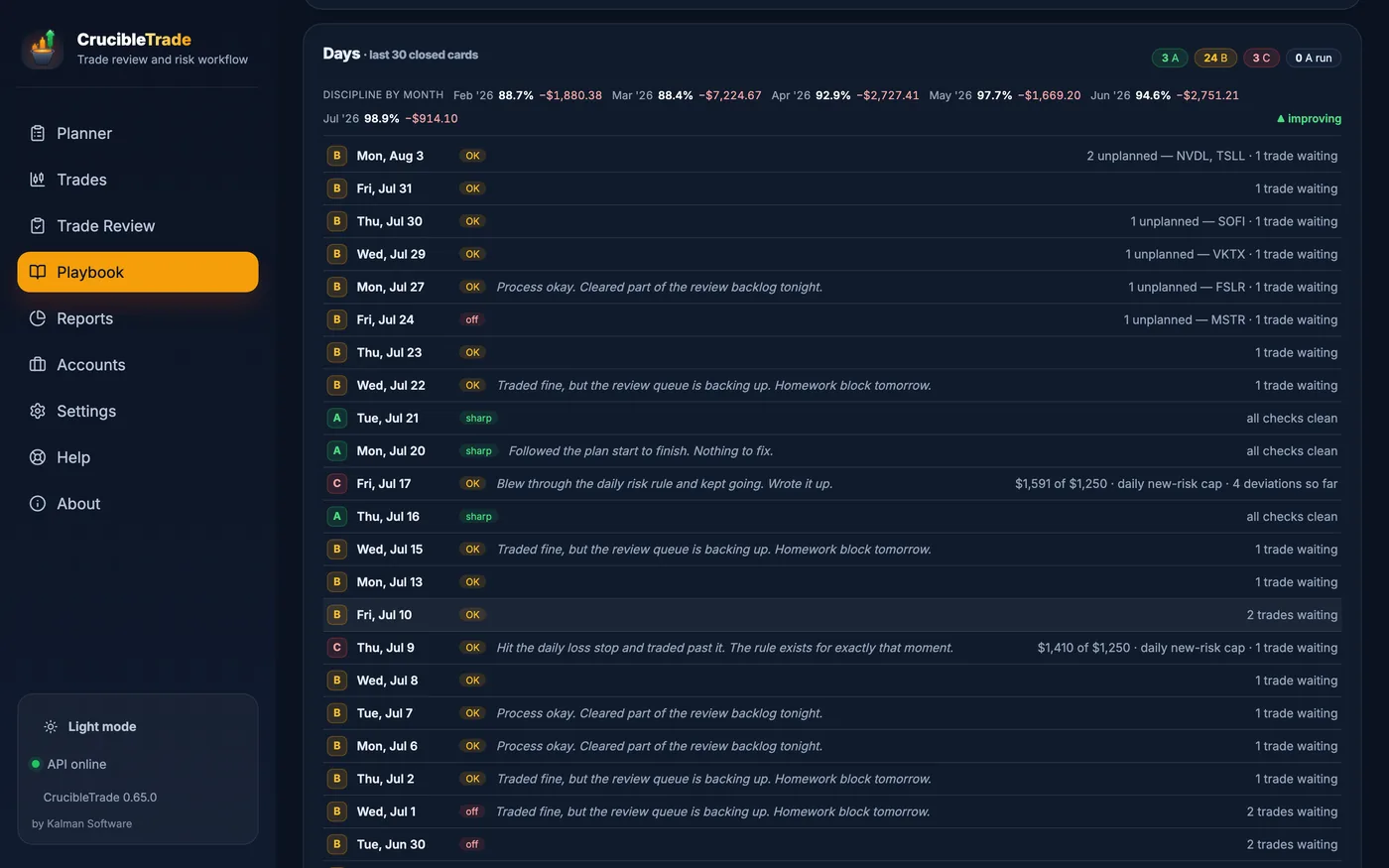
Every day you closed out, kept together in the Playbook and graded on process, with a month-by-month strip above them tracking two numbers: how much of your playbook you followed, and how much deviating still cost you. Both should be moving, and this is where you find out whether they are.
- Adherence month by month: the figures climb as your process tightens up, flagged improving when the trend holds.
- Mistake & rule-break cost shrinking toward zero as the bad habits fade.
- Every graded day in one list: A, B and C cards with streak counts, the line you wrote that evening, and the one thing that cost you the grade.
Every angle on your edge
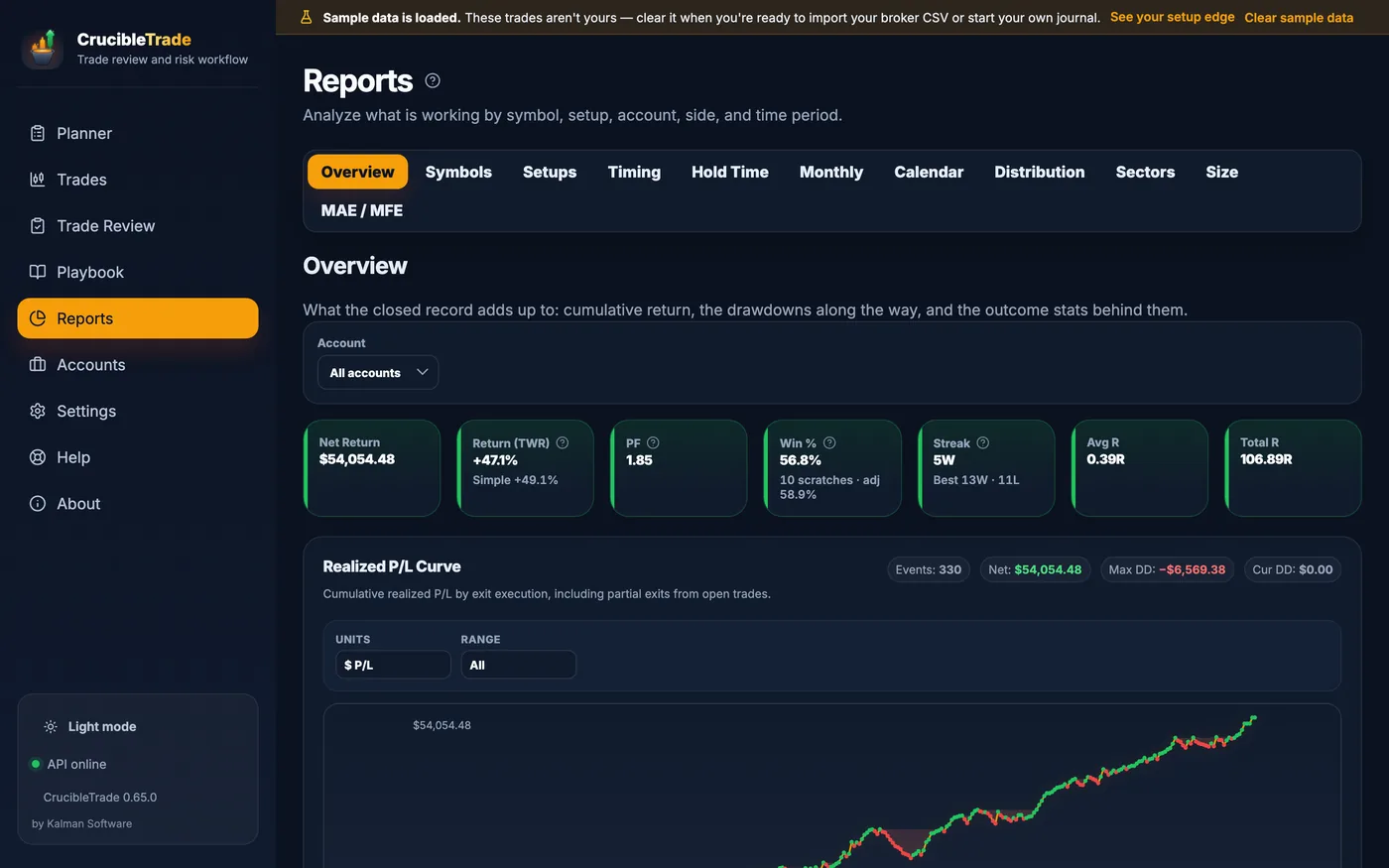
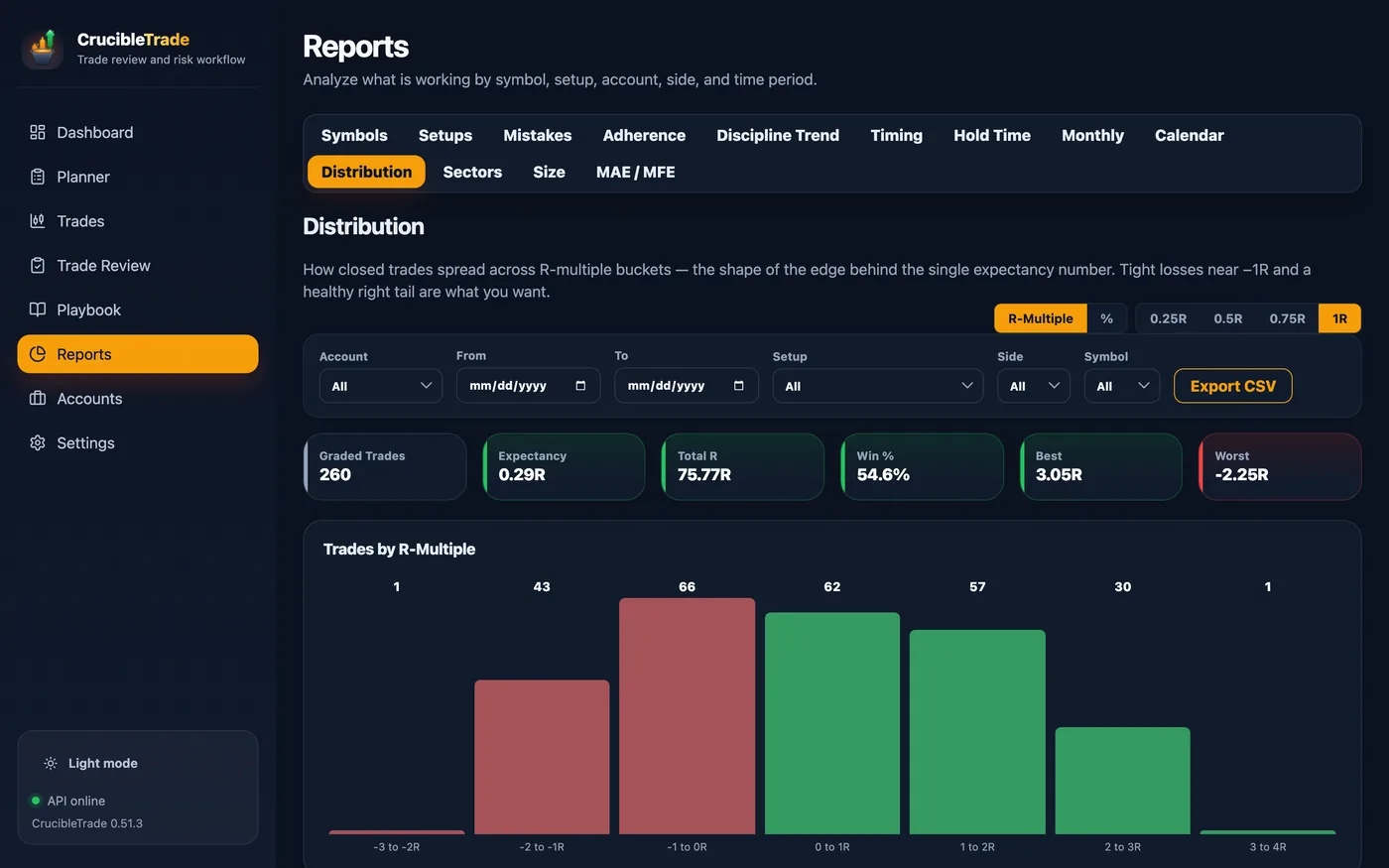
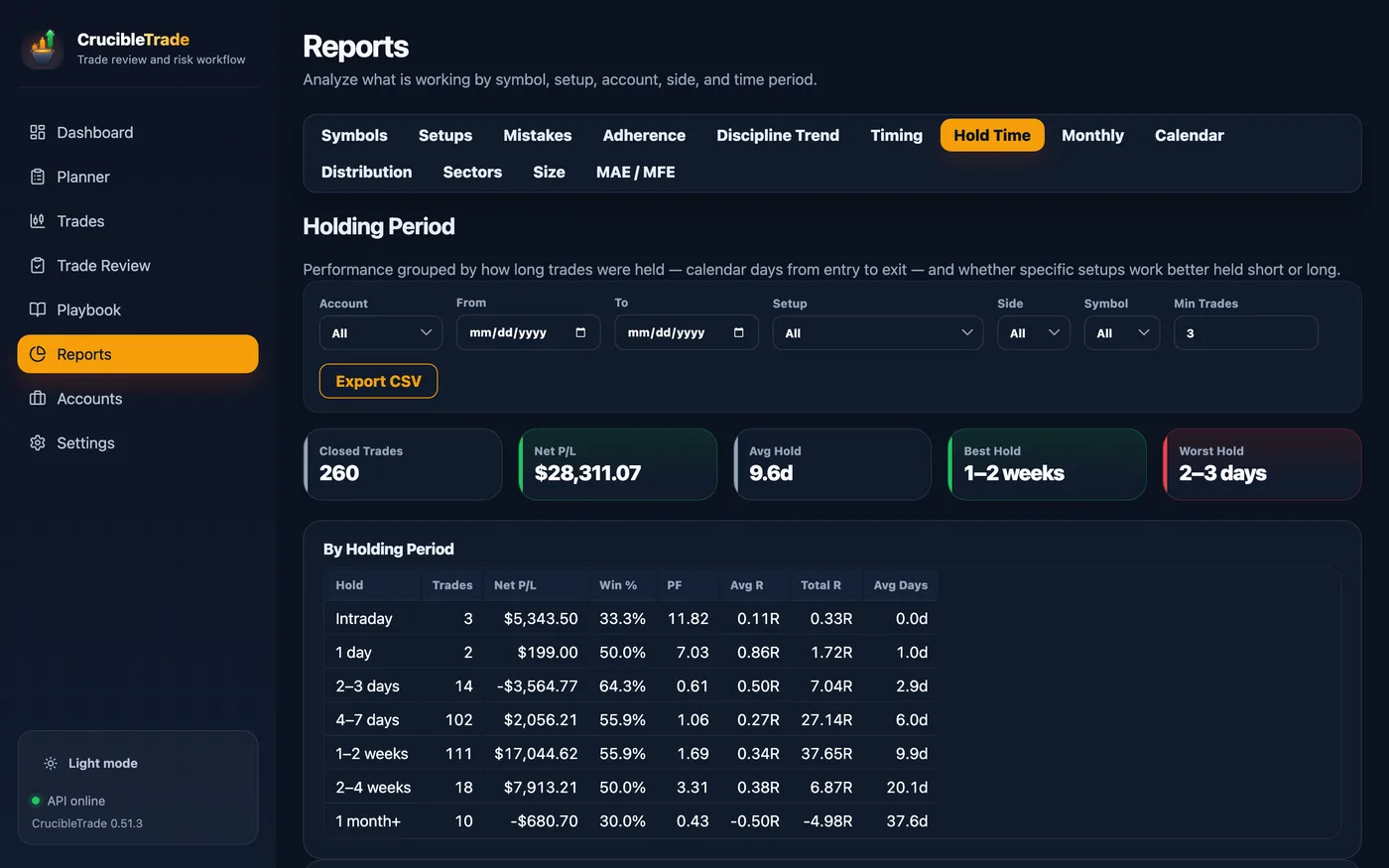
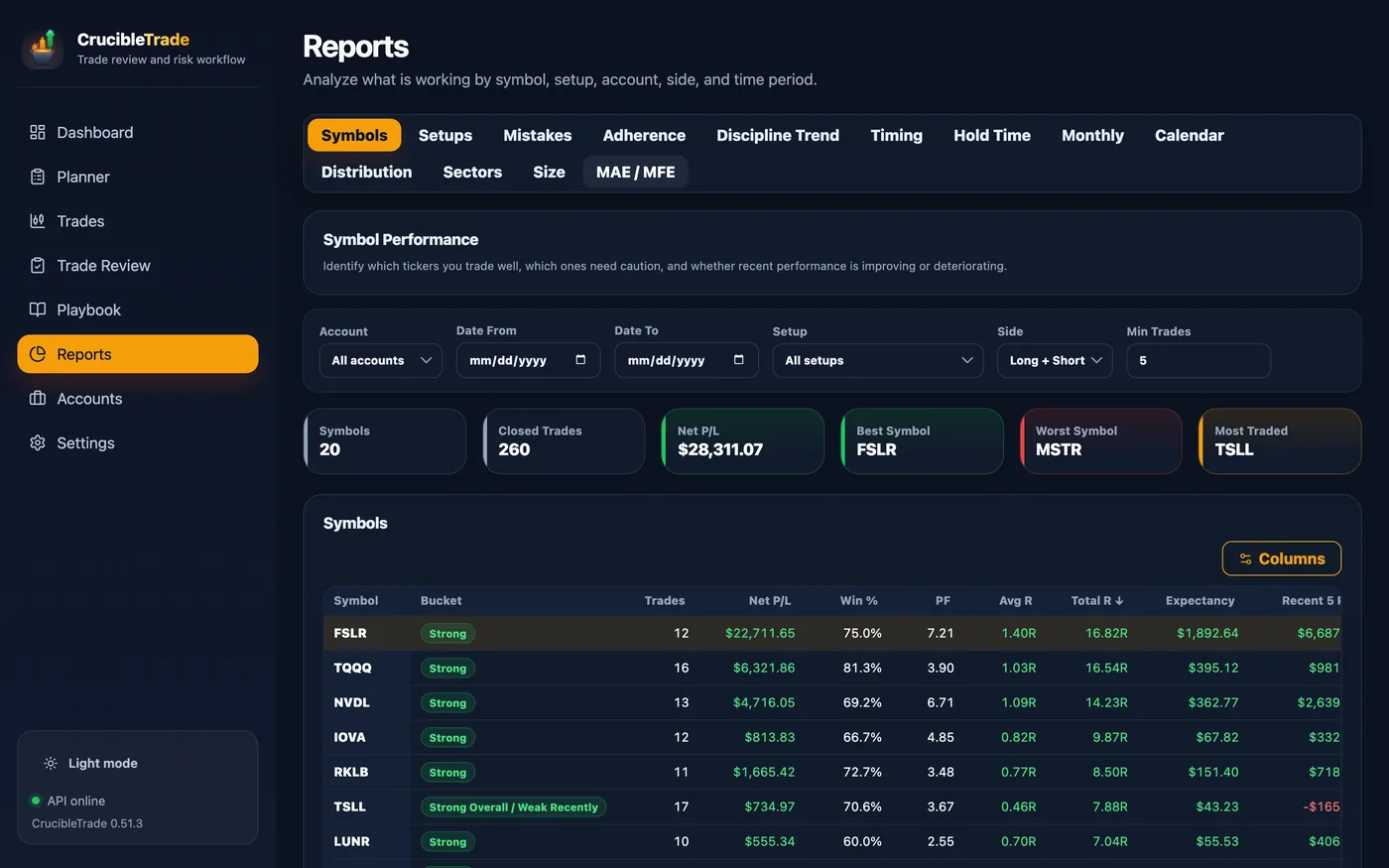
The same trades, sliced eleven ways: the overall curve, then by symbol, setup, sector, size, distribution, hold time, time of day, month by month, calendar and excursion, all behind one filter bar and all exportable to CSV.
And a trade that went nowhere isn't filed as a loss. Anything inside a scratch band you set yourself (|R| ≤ 0.1 out of the box) is counted as a scratch: it doesn't dent your win rate, doesn't break a streak, and doesn't walk the risk throttle toward cool-down. Cutting something that stopped working is the process working, and the stats shouldn't punish you for it. The band travels with your journal, because it's the convention every win rate and streak was computed against.
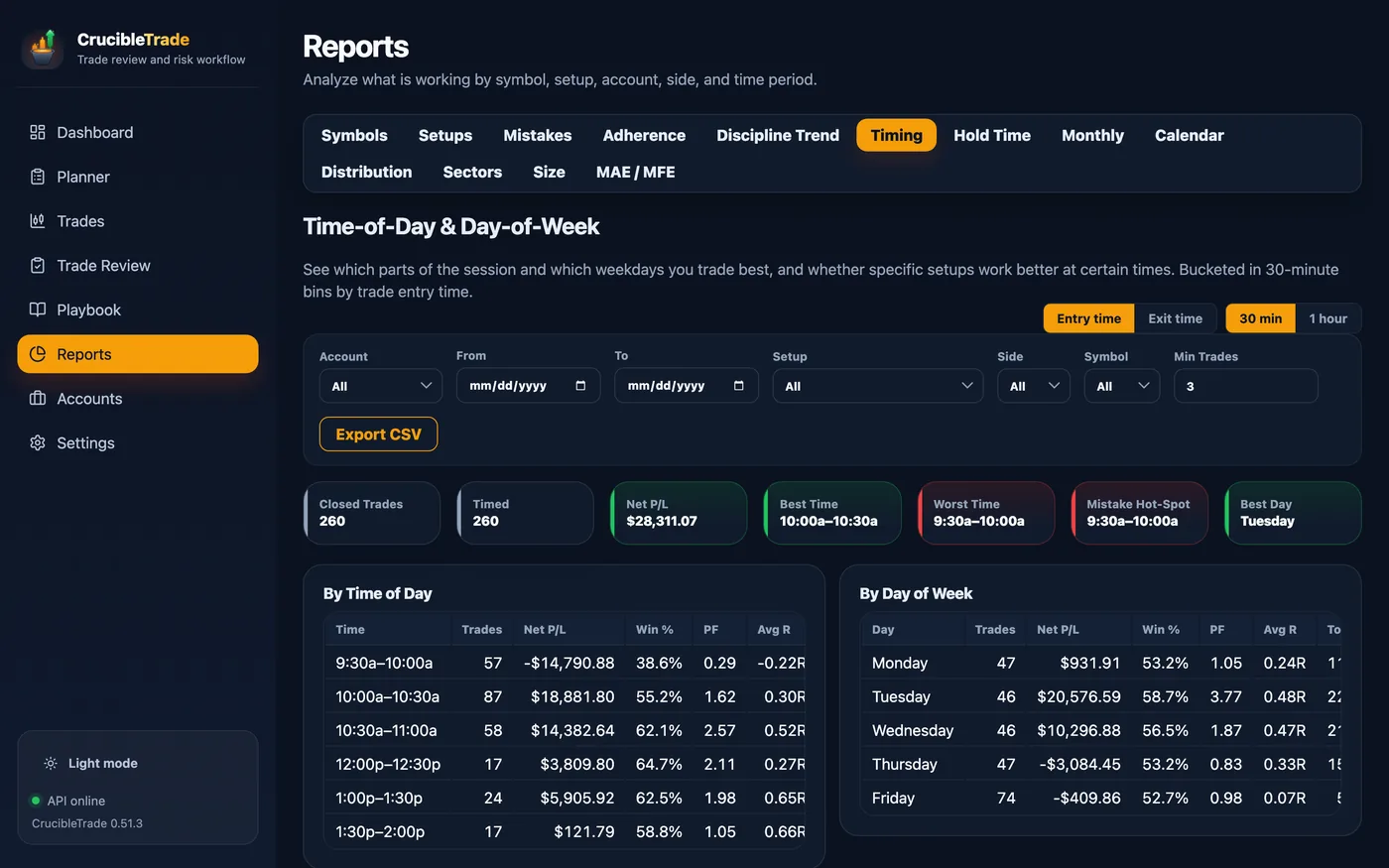
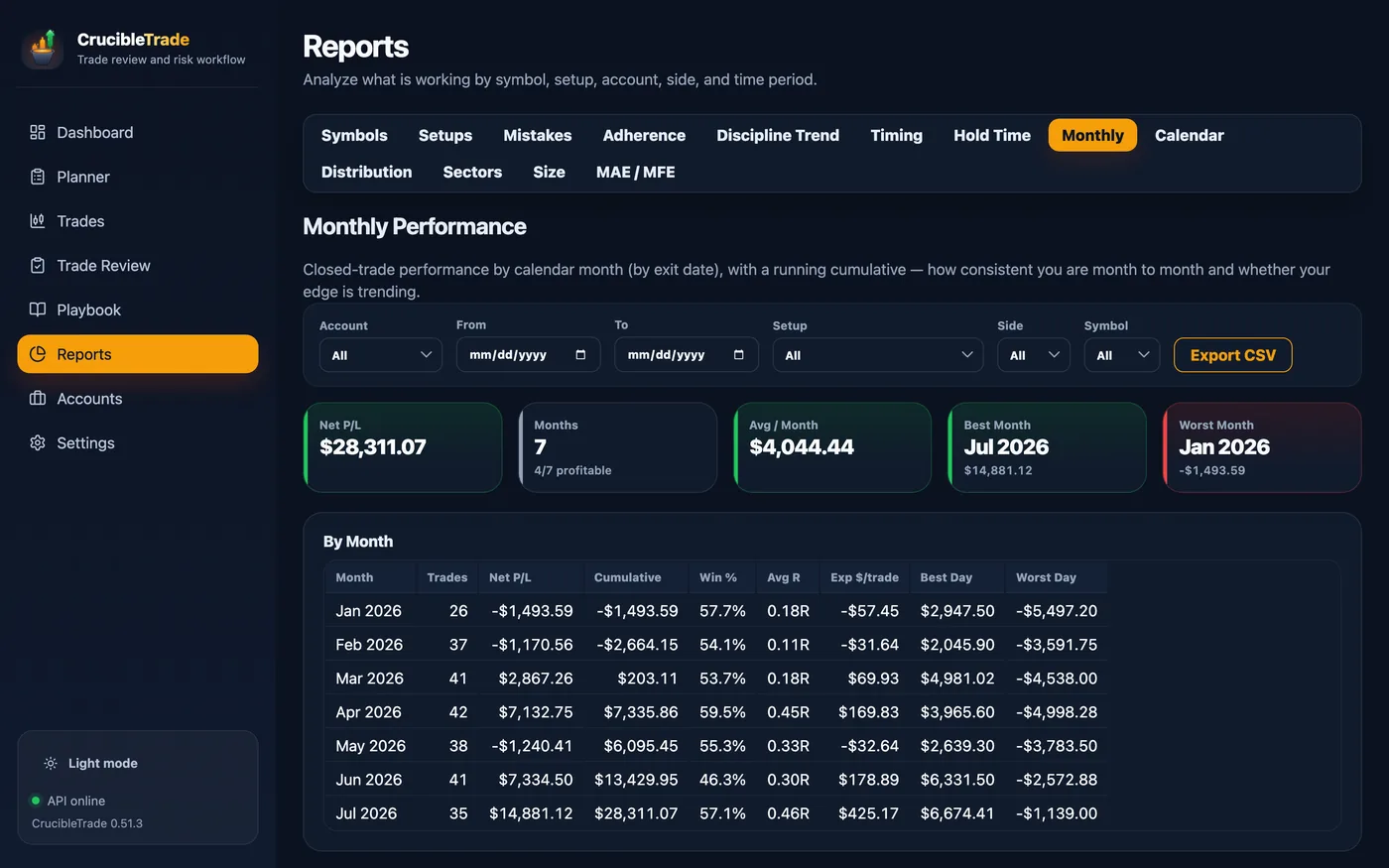
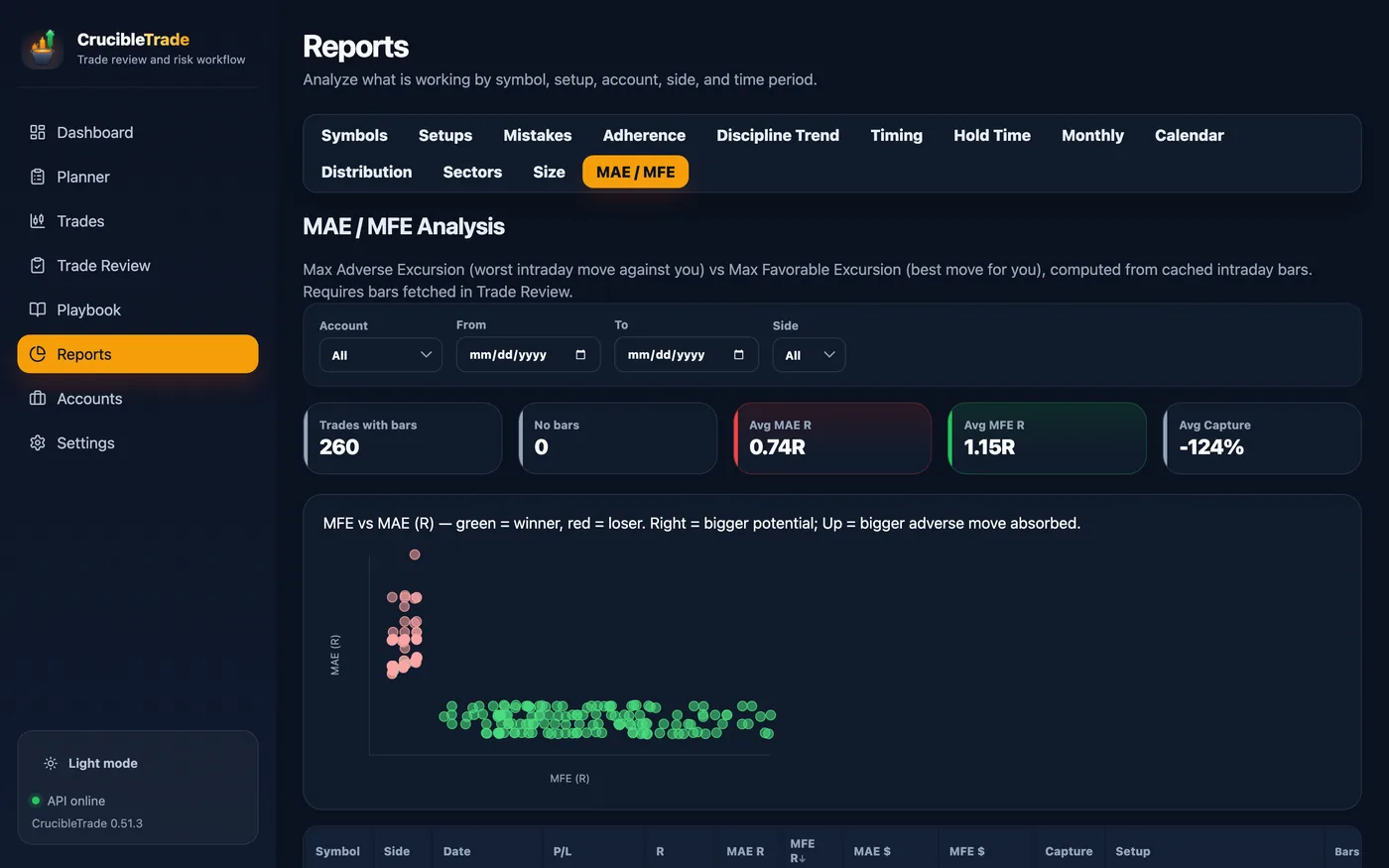
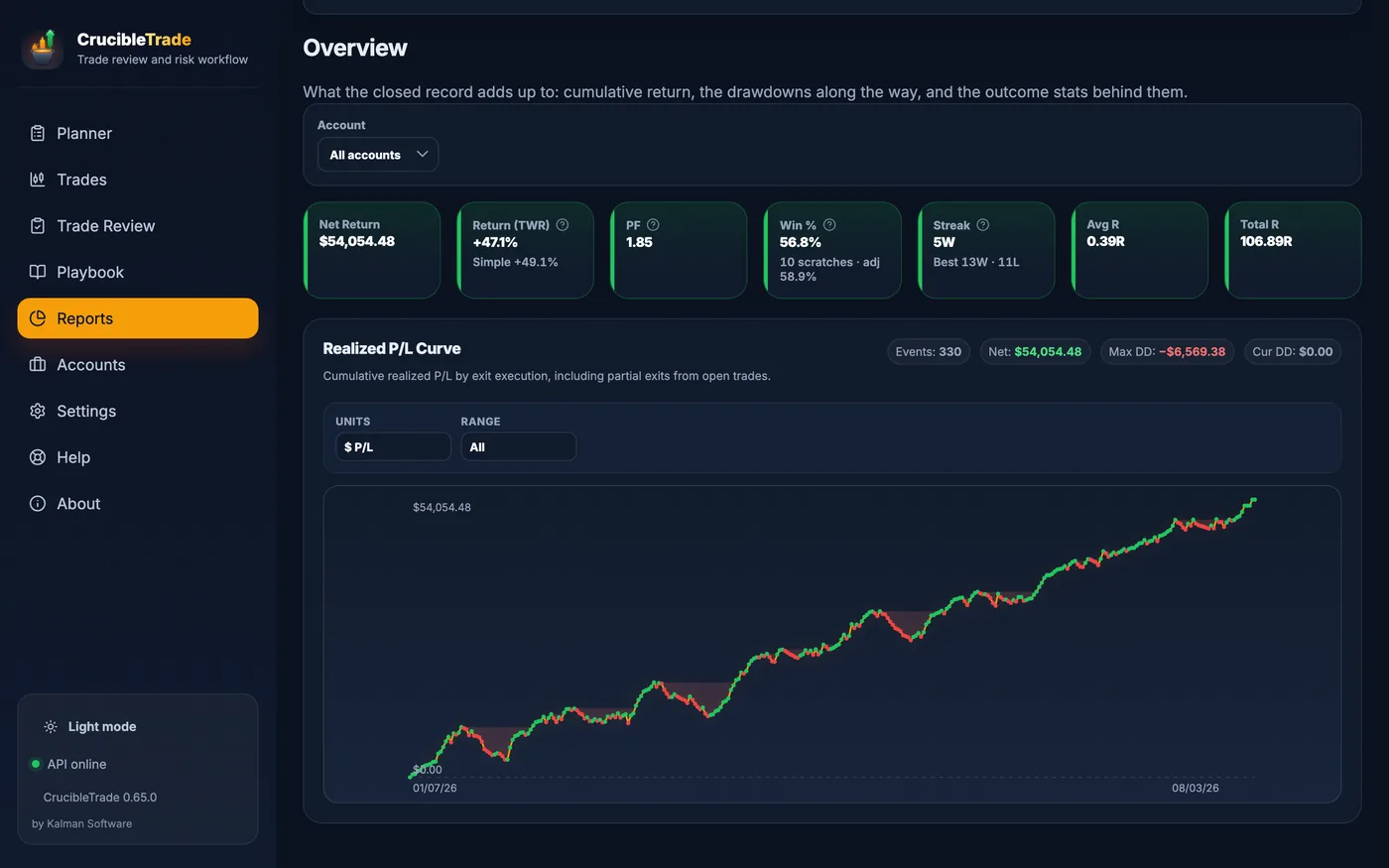
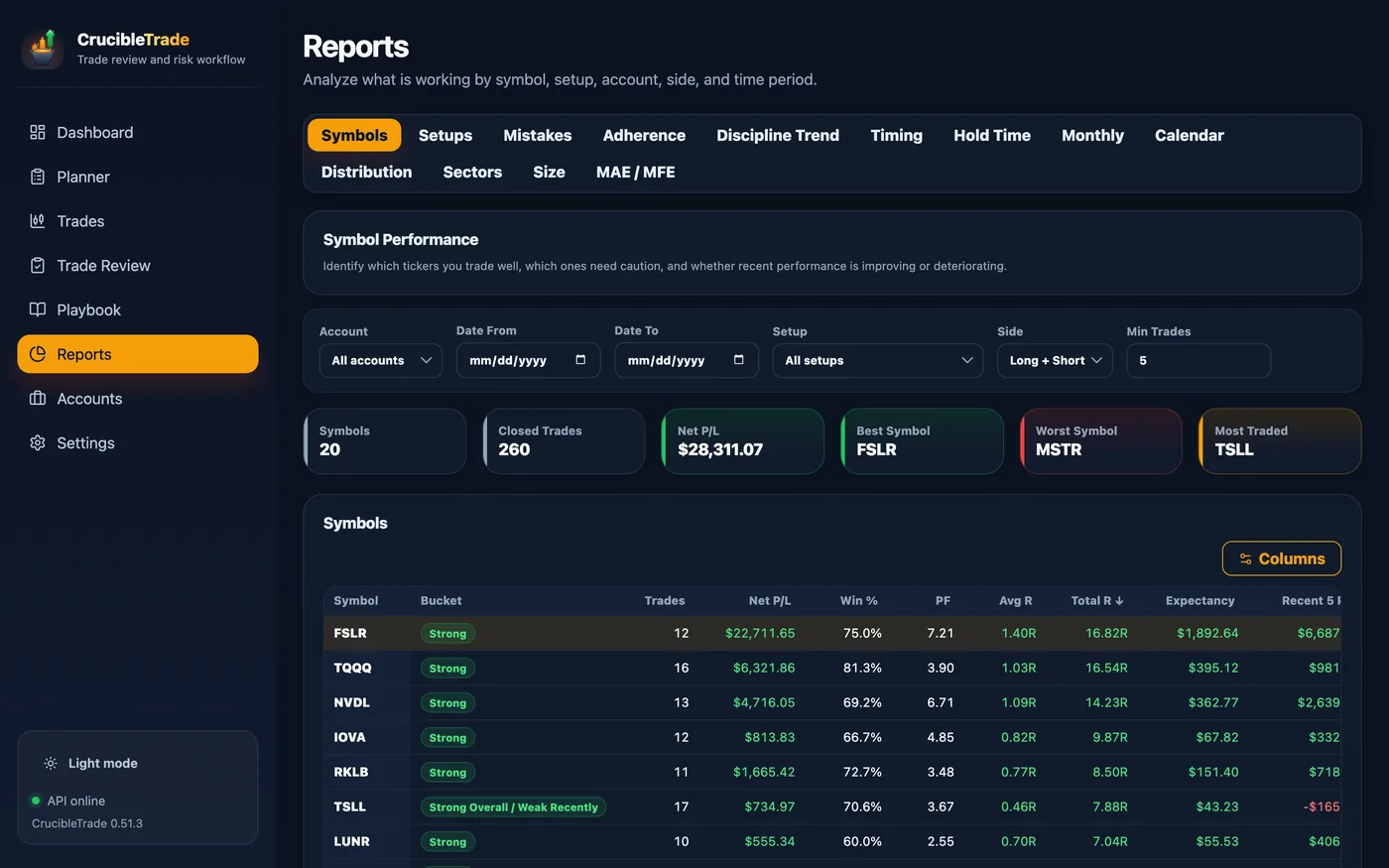
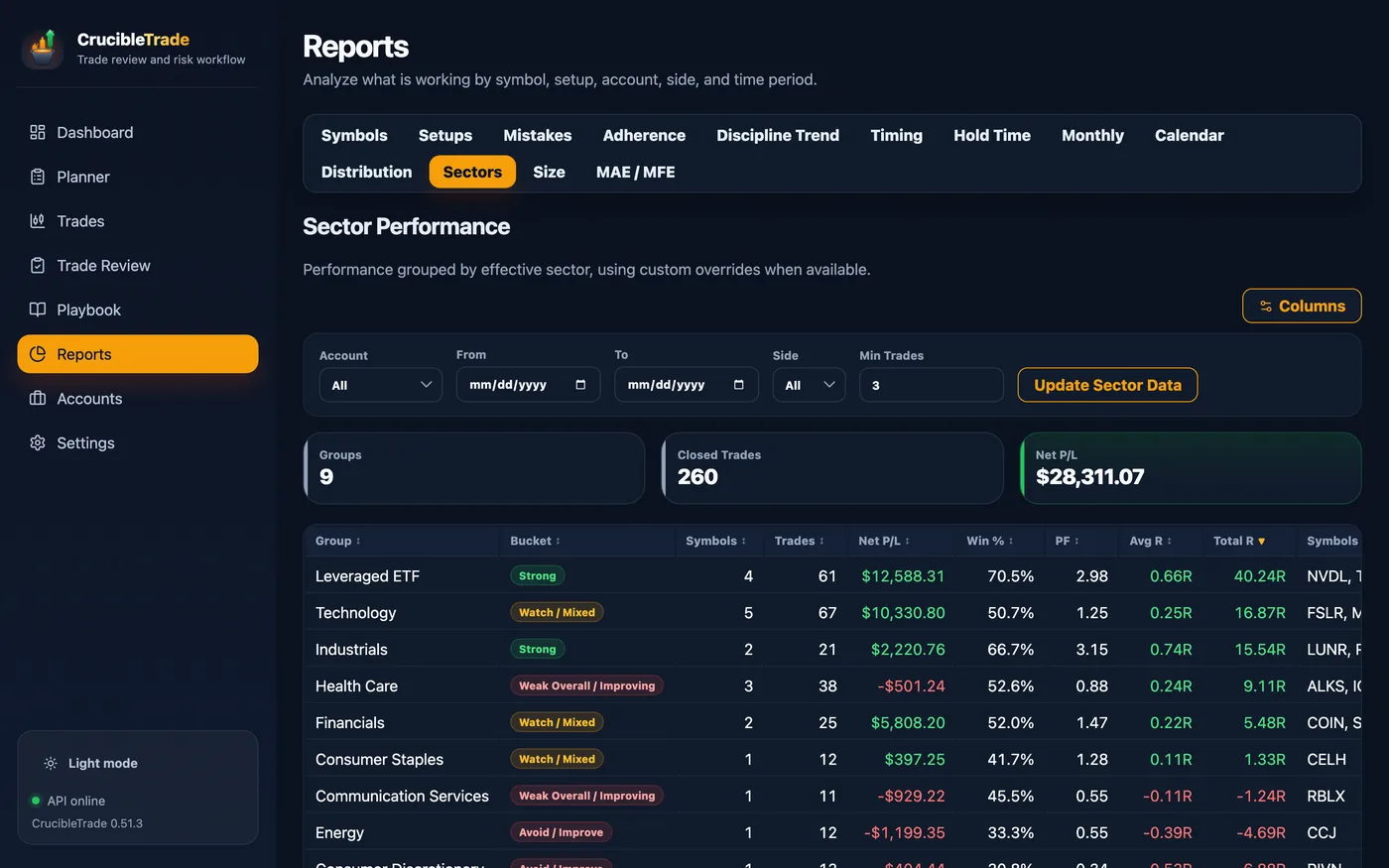
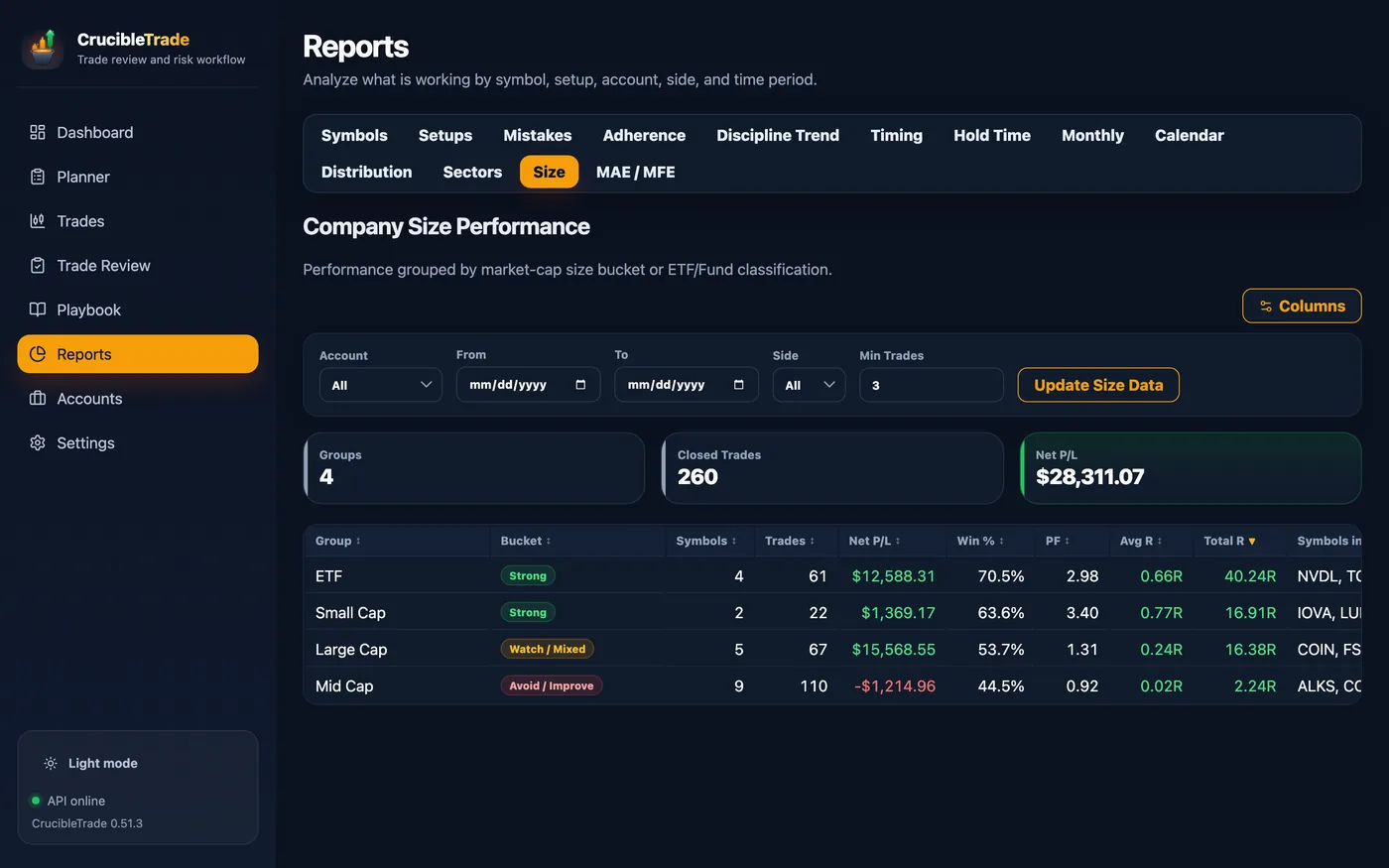
Don't take our word for it. Open the sample and click anything.
A fresh install opens a complete sample journal automatically: 282 trades and 10,574 intraday bars across two accounts, 20 symbols in nine sectors, a written playbook, every report populated, and charts that work offline. A searchable 43-topic Help Center is built in too. No account, no card, none of your data. The sample never starts the trial clock.
Size an idea
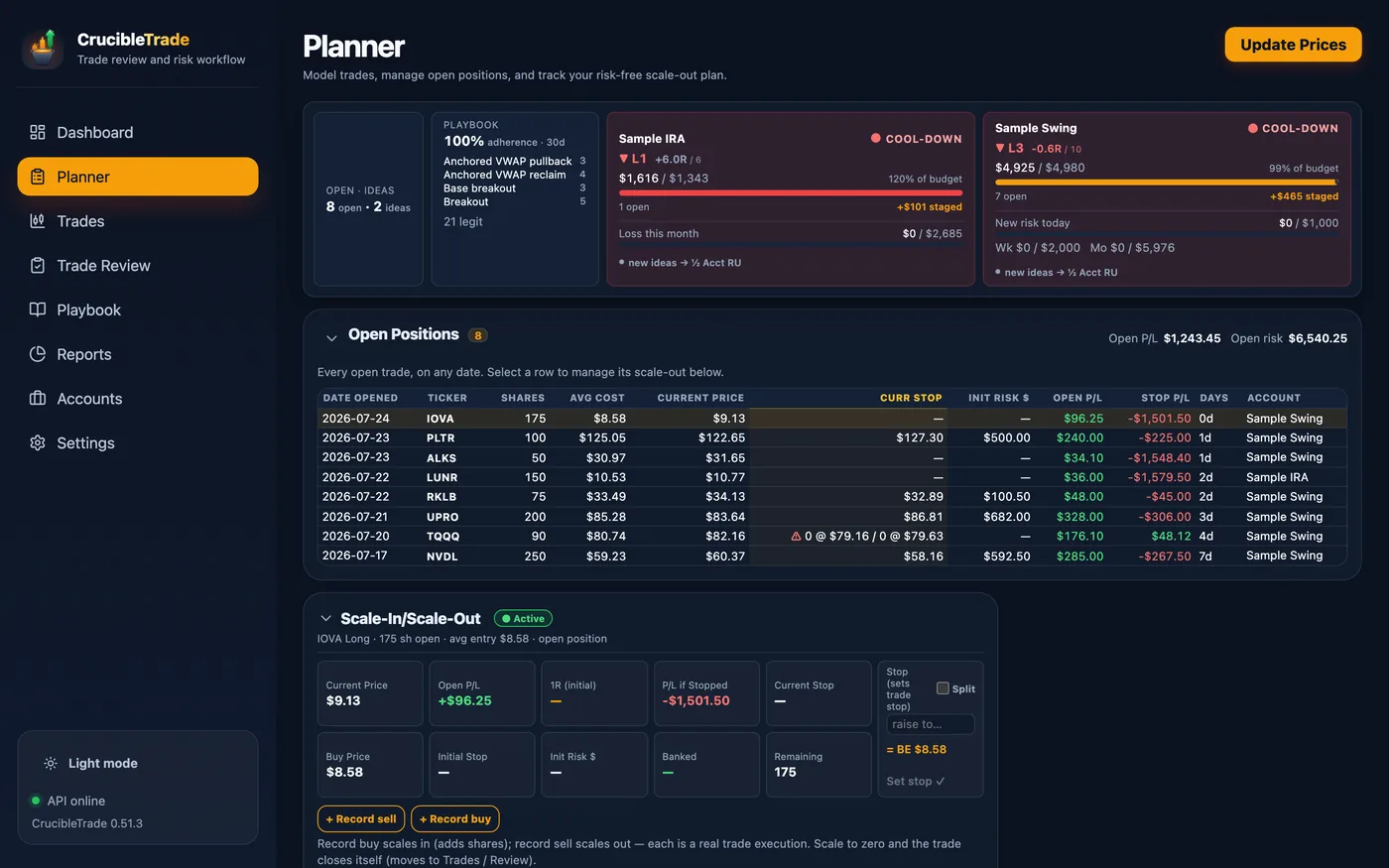
Open the Planner: ideas in every status, each sized to its account's risk budget, with plan notes that explain how an entry and a stop became a share count.
Work the open book
Eight open positions with trailed stops, a two-leg split stop mid-scale-out, and each account throttled by its own status: the day as it actually looks.
Close the day, read the lesson
Most historical days are already graded; the newest is left open so you meet the 30-second ritual yourself. Each closed trade's notes are model answers covering what went well, what went wrong, and one concrete change.
Watch discipline pay
The sample is a trader with a character arc: early months carry broken rules and losses that ran past stops, while the last month is straight A's. The Playbook's discipline-by-month strip reads up and to the right, demonstrated rather than asserted.
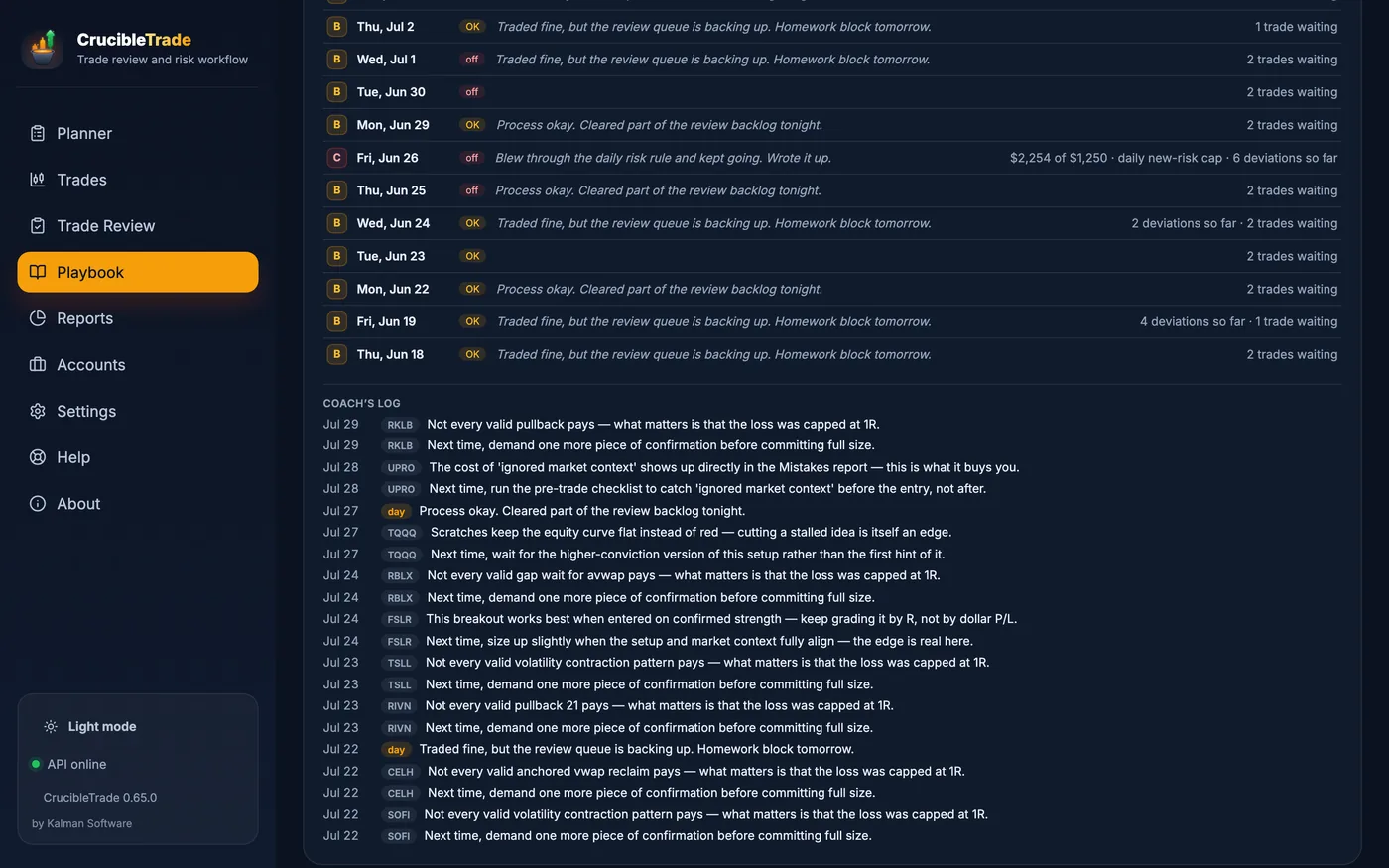
Opened automatically on a fresh install, and available again from Settings → Backup / Restore → Load Full Sample Database. A banner marks sample mode; clearing it returns to the real choice to import or start empty.
Serious tooling, zero busywork
Seven workspaces (Planner, Trades, Trade Review, Playbook, Reports, Accounts, Settings) handle the unglamorous parts so your time goes into reviewing, not bookkeeping.
Import & data
- Thinkorswim / Schwab account statement CSV
- Fidelity history & ATP order enrichment
- LIFO execution → trade matching that survives re-imports
- Broker timezone normalization
- Multi-account, multi-broker, with a "needs review" inbox for ambiguous fills
Review & charts
- Cached 2m / 5m / 15m / 30m / daily candles
- Entry/exit markers, initial & current stop lines
- Anchored VWAP & moving averages
- Setup, multi-tag behavior & lesson fields
- Keyboard-driven "needs review" queue, with bulk status across the current filter
- Chart downloads off until you switch them on; prices typed or pasted otherwise
Risk & reporting
- R-multiple & expectancy everywhere
- Day / week / month loss stops and new-risk caps, in RU, % or $
- Time-weighted return that neutralizes deposits and withdrawals
- A scratch band you set, so near-breakeven exits don't read as losses
- CSV export on every report table
- Backups to a folder you choose, so they outlive the app · repair that takes a snapshot before it touches anything · light and dark themes
One file on your disk, and nothing that can be switched off
CrucibleTrade is a desktop app backed by a single local SQLite database. There is no account to create, nothing to sync, and no server between you and your own trading record. Nothing about you or your trading ever leaves your machine.
If Kalman Software disappeared tomorrow, the app keeps running, the license keeps verifying offline, and your journal is a SQLite file on your own disk.
Second product under the same contract as RangefinderInvest: local file, pay once, offline verification.
Pay once. Keep it.
A countable launch offer, not a timer. The first 100 paid licenses are $99. The regular price is $149. Buy at the launch price and that purchase is settled; 12 months of updates start on the day you buy.
Includes 12 months of updates. Your license is yours forever: it never expires and nothing ever locks. When the year is up you keep every version you already have and it goes on working. Another 12 months of new versions is an optional $59 update pass, only if you want it. It never auto-renews.
30-day full trial. The clock starts on your first edit or import, not at install. A lapsed trial goes read-only, never locked: your journal, reports, exports, and backups keep working. 30-day refunds.
Checkout is handled by Stripe, which is the merchant of record. Not right for you? Reply within 30 days and you get your money back. See the terms & refunds.
A different kind of trading journal
Most journals are hosted subscriptions that pick your trading day up after the close and keep the record on someone else's servers. Here is the trade, in both directions. The last two rows are the ones we lose.
| CrucibleTrade | Typical cloud journal | |
|---|---|---|
| Where your trades live | On your machine in a local SQLite file | On the vendor's servers |
| Account & login | None | Required |
| Pricing | One-time purchase; 12 months of updates included, license never expires | Monthly / annual subscription |
| What happens when you stop paying | Nothing; you already paid. A lapsed update year takes nothing away; even a lapsed trial goes read-only, never locked | Access ends; your history sits behind the paywall |
| Works fully offline | ✓ Yes | Needs a connection |
| Sizes the next trade before you take it | ✓ Entry + stop → shares, against a per-account risk budget | Separate / limited |
| Trailed, break-even & split stops, with R anchored to initial risk | ✓ Up to three lots; R never re-baselined | Rare / partial |
| Per-setup playbook + rule-adherence scoring | ✓ Built in | Varies |
| Multi-tag mistake cost, with no double-counting | ✓ Two-lens attribution | Rare |
| "Am I improving?" discipline trend over time | ✓ Month-over-month | Varies |
| Per-account daily / weekly loss limits + risk throttle | ✓ Sizes ideas down when you're pressing | Rare |
| Your data is portable and yours | ✓ It's a file you own | Export on request |
| Broker coverage | CSV import, two families: Thinkorswim/Schwab and Fidelity | Often 100+ brokers |
| Automatic broker sync | ✗ No; you import a CSV | ✓ Common |
Compared against the common model of hosted, subscription journals such as Tradervue, TraderSync, TradeZella, TradesViz and Edgewonk. Exact features vary by product and plan, and any of them may ship something on this list tomorrow. Check before you buy either of us. What CrucibleTrade is built to do is cover the whole trading day on your own machine, for one payment.
The longer versions, concessions included: a trading journal without a subscription · a local-first TradeZella alternative · journaling thinkorswim trades
Why this app exists
I'm a retired electrical engineer and individual trader, not a broker or trading guru. For years I kept a spreadsheet beside my trading software to plan size, track open risk, and record the lesson afterward. CrucibleTrade brings that loop into one local app.
Questions: hello@kalmansoftware.com · support. Second product under the same contract as RangefinderInvest: local file, pay once, offline verification.
One housekeeping note, because it surprises people: your card statement shows the charge
through Link (Stripe's checkout) as LINK.COM* plus a short form of the
company name for either app.
Frequently asked
What does it cost?
A one-time license, no subscription, with the current launch offer and regular price stated in the pricing section. It includes 12 months of updates. The license itself never expires and nothing ever locks: when the year is up, every version you already have keeps working exactly as it did, and another year of new versions is an optional update pass, never automatic. The license is verified on your machine with no phone-home, no server and no account, and can be moved between your computers. Checkout is handled by Stripe, which is the merchant of record; 30-day refunds per the terms.
What happens when the trial ends?
It goes read-only, never locked. The 30-day clock starts on your first edit or import, not at install, so downloading the app and clicking through the sample costs you nothing. If it lapses before you buy, your whole journal stays readable: every trade, every report, the Playbook, the calendar. CSV export and backups keep working, so your history is always yours to take out. The active workflow pauses until a license is activated: importing, editing, matching, planning, saving reviews, and refreshing prices. Nothing is deleted and nothing is held hostage.
Which brokers can I import from?
Two families: Thinkorswim / Schwab account-statement CSVs and Fidelity history CSVs, plus Fidelity ATP order files for precise execution times. That is the whole list today. There is no broker API sync and no OAuth broker link, and we won't name brokers that aren't supported yet. Imports are account-scoped, so each file lands in the account it belongs to, re-imports don't double-count, and matching preserves the setup, notes, and stops you already entered. You can keep as many accounts as you trade.
Is my data sent anywhere?
Your trading data? No. None of it, ever. Everything lives in a local SQLite database on your computer, and there is no account, no login, and no background sync. Rather than claim the app never opens a connection, here is the whole list of what it does open, which is two things.
1 · Market data you switch on. Chart candles, quotes and ticker metadata are fetched from Yahoo Finance, and they are off until you turn them on. A fresh install downloads nothing. Switched on, it fetches when you press Update Prices and when you open a trade whose chart isn't cached yet, and a request carries a ticker, an interval and a date range, never a position or a P/L. Leave them off and you type or paste your own marks: open P/L, open risk and the throttle all work with no feed at all.
2 · A once-a-day update check. Starting with 0.59.0 the app asks crucibletrade.com whether a newer version exists. It sends limited technical information including the product, version, operating system, and whether this is the first launch. We keep aggregate counts by product, version, and operating system and do not use the request to identify or track anyone. Nothing about your trades or license is sent. Turn it off in Settings → Updates; Microsoft Store builds never send it. Full detail is in the privacy policy.
Both have off switches, and the honest test beats any promise we could write here: firewall the app. Everything local keeps working. You can back up, move, or delete your data at any time because it's a single file you control.
Download CrucibleTrade
The full app, free for 30 days. No card, no account, nothing to cancel. Load the sample year first if you want; the clock doesn't start until you edit or import something of your own.
macOS
macOS 11 or later · Apple silicon · 145 MB
Download .dmgSigned and notarized by Apple, so it opens with no Gatekeeper warning. Drag it to Applications and go. This build is Apple silicon only; there is no Intel build yet.
SHA-256 · .dmg9daf65a90fc8f7b647ffdf06cd6db6a54c4ec6c92f12092b35404173612fa1a3
Windows
Windows 10 or 11 · 64-bit
Get it from theMicrosoft StoreMicrosoft signs and delivers the Store build, so it installs with no security warning and keeps itself updated. On Windows this opens the Store app straight to the listing; press Get. If nothing opens, this PC hasn't got the Store (some Windows installs don't), so take the direct installer below instead.
Or download the installer directly (.exe, 120 MB)The direct .exe triggers a security warning, sometimes two. Here's why, and what to do.
Windows SmartScreen and Chrome's equivalent flag installers they haven't seen downloaded many times yet. It's a measure of how well known a file is, not whether it's safe. Every new independent app starts at zero and earns its way out. We haven't bought a code-signing certificate because, per Microsoft's current guidance, no certificate grants an instant bypass any more; reputation still has to be earned either way.
Depending on your browser and Windows settings you'll meet one of these, sometimes both:
- Downloading: the browser says the file "isn't commonly downloaded". In Edge, the way through is hidden twice over: open the … menu beside the file in the downloads list and choose Keep, then, if a second box appears whose big button says Delete, click the ˅ on that button and choose Keep anyway. Deleting is the prominent option, not the correct one.
- Opening it: if Windows shows "Windows protected your PC", click More info, then Run anyway. You may not see this one at all.
Either box may also list the publisher as Unknown. That's the missing certificate and nothing more. Don't take our word for it, though; check the SHA-256 below against the file you got.
Prefer to skip it entirely? Use the Microsoft Store button above. Microsoft re-signs that build, so there's no warning at all. If you reach the Store listing in a browser instead, click its View in Store button rather than Download: the web page's Download button gives you a small Microsoft-made helper .exe, which is new enough to draw the same unrecognized-file warning. Either way you can confirm you got the exact file we published by checking the SHA-256 below.
SHA-256 · .exe82aded91519ee5e34e78c3a16a6087983e55a77a08c950671457b032e47161b7
Linux
64-bit · Debian/Ubuntu · 154 MB
Download .debUnsigned, like most direct Linux downloads. Your software centre may say "not from a verified source". Installing from a terminal skips that: sudo apt install ./CrucibleTrade-0.73.0.deb
SHA-256 · .deb4a5309b062e0ee558ec7041bf169aeeed0161fe083d2f15ee8248ff6292b4737SHA-256 · .AppImage1121abf7c441a84a13109b9f8d95588f335343f967ec078737d64359a009cb56
CrucibleTrade 0.73.0. Every file above is listed with its
SHA-256, and the same digests are published as
SHA256SUMS-0.73.0.txt. On
macOS or Linux, shasum -a 256 <file> should print the matching line.
30-day full trial. The clock starts on your first edit or import, not at install. A lapsed trial goes read-only, never locked: your journal, reports, exports, and backups keep working. Then a one-time purchase including 12 months of updates, and the license itself never expires (current and regular pricing). 30-day refunds.